Target Receipt Lookup: Find Any Target Receipt (Online, App, In-Store)
A Target receipt lookup takes about two minutes once you know which of the three places it lives in. Here is each path, plus how to stop losing them for bookkeeping and taxes.

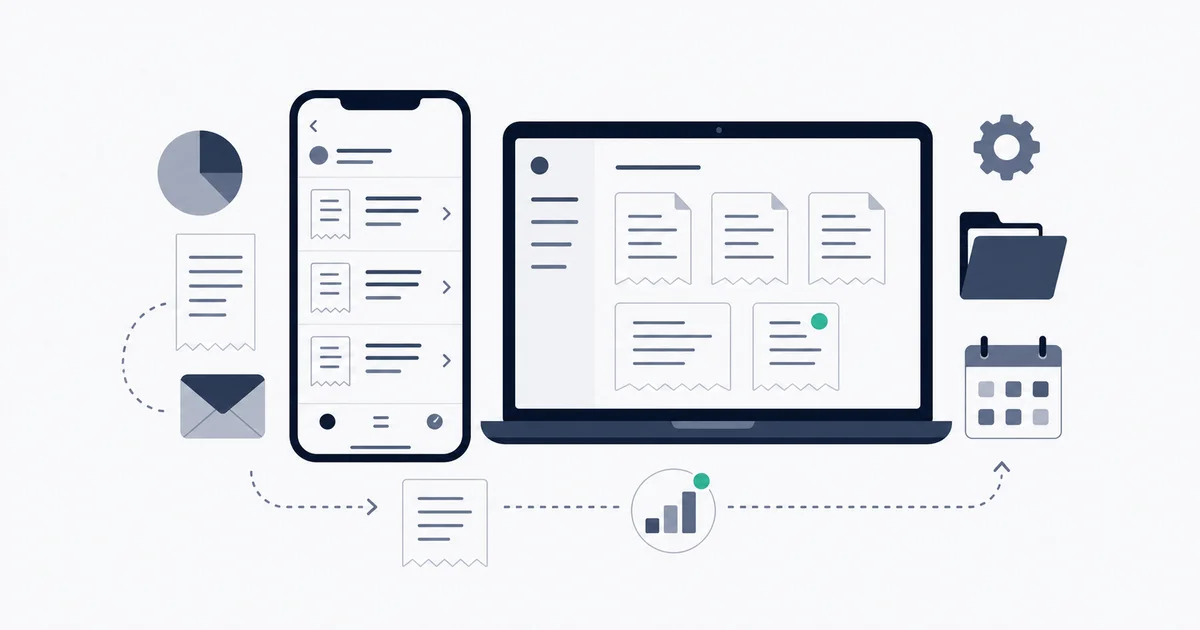
A Target receipt lookup is fast once you know the receipt is not in one place, it is in three. For a Target.com order, sign into Target.com, open Orders, pick the order, and choose Receipts and invoices to view or print it. For an in-store trip, open the Target app and tap Purchase history, where the receipt appears if your Target Circle barcode was scanned or you paid with a linked card. For everything else, including cash, Guest Services can reprint a card purchase, generally within 90 days. That covers most lookups in about two minutes.
The catch is that none of these three is a single source of truth, and the one you need is usually the one you did not save. This guide walks each path, the edge cases that trip people up (Drive Up receipts hide in a different spot), and how to stop doing the lookup by hand entirely if you are tracking Target spend for a business or for taxes.
The fastest path for each kind of Target purchase
Target sorts your receipts by how you bought, not by what you bought. Match your situation to the right path below.
Target.com orders: Orders, then Receipts and invoices
Sign into Target.com. Open Orders (under your account menu). The list shows every online order with its date, total, and status. Click the order you need, then look for Receipts and invoices. From there you can view, print, or download the receipt as a document suitable for an expense report.
Target.com order history typically reaches back about two years, so even an order from last year is usually still here. There is no "download all" button, though. Each receipt is pulled one order at a time, which is fine for the occasional purchase and tedious once you are placing orders every week.
A faster route that skips the login entirely: Target emails an order confirmation when you place an online order. That email is itself a receipt, and the formal receipt is linked from it. Search your inbox for the Target order sender (an orders@target.com style address) and the order is right there. This matters later, because that same email is what makes automated capture possible.
In-store trips: the Target app Purchase history
Open the Target app and tap the account icon, then Purchase history. Your in-store trips appear as a list. Tap any trip to open the full itemized receipt, including the barcode you can scan at Guest Services for a return.
The condition that decides whether a trip shows up here is the important part. An in-store purchase lands in Purchase history only if one of two things happened at checkout:
- You scanned your Target Circle barcode (in the app or your Circle account) before paying, or
- You paid with a card linked to your Target account.
If neither happened, that trip is not in Purchase history, and no amount of scrolling will surface it. Cash purchases never appear because there is nothing connecting the transaction to you. This is the single most common reason a Target receipt lookup comes up empty.
Lost it entirely: Guest Services reprint
If a trip is not in the app and you paid by card, Guest Services at any Target can look up and reprint it. Bring the card you paid with. The lookup generally works within 90 days of the purchase, and the window is commonly longer (about a year) for purchases made on a Target Circle Card or RedCard, since those are tied directly to your account.
Cash purchases cannot be reprinted. With no card and no scanned Circle barcode, Target has no record to look up, so the paper receipt you were handed is the only copy that will ever exist.
Scan your Target Circle barcode at the start of every in-store checkout, before the cashier totals the order. That one habit puts every trip into Purchase history automatically, regardless of which card you tap, and it is the difference between a two-minute lookup later and a trip to Guest Services.
The Drive Up and Order Pickup trap
Here is the edge case that sends people in circles. Drive Up and Order Pickup orders feel like in-store purchases because you physically collect the items, so you go looking in Purchase history, and it is not there.
Those receipts live in the Orders section instead, the same place as shipped Target.com orders. The reasoning is that you placed them online even though you picked them up. Once you know to look in Orders rather than Purchase history, the full invoice is right there. It is purely a where-it-is-filed quirk, not a missing receipt.
Gift receipts and returns without the original
A quick note on the return side, since receipt lookup and returns are usually the same errand.
Target's stated windows are 365 days for Target owned-brand items with a receipt, 90 days for most other items, and shorter windows (often around 30 days) for some electronics and entertainment categories. Paying with a Target Circle Card or RedCard, or being a Target Circle member, generally adds 30 days on top.
You do not always need the paper receipt to return something. Target can frequently look the purchase up from your Target Circle account, the card you paid with, or the Wallet barcode in the app. When there is genuinely no record, Target may still take the return for store credit at the item's current selling price, typically requiring a government ID and applying limits to no-receipt returns to deter abuse.
Return rules, no-receipt limits, and ID requirements change and can vary by item and location. Treat the figures here as a starting point and confirm the current policy at Target.com/returns before you rely on a specific case, especially for a high-value item.
Why the manual lookup falls apart for business spend
For a household returning a blender, the three-path lookup is fine. For anyone tracking Target as a business expense, it stops scaling fast, and Target is a real business supplier for a lot of people: in-home service providers buying cleaning and staging supplies, daycares and classrooms stocking up, small offices grabbing snacks and supplies, resellers sourcing clearance inventory.
The friction shows up in three specific places.
First, fragmentation by payment method. The same business might buy online (Orders), run in with the Circle barcode scanned (Purchase history), and occasionally pay with a card that was not linked (Guest Services only). Three trips for what is conceptually one expense stream. At tax time you are reconciling three systems and hoping nothing slipped between them.
First-of-month bookkeeping then means paginating through Target.com orders one at a time, scrolling app Purchase history, and chasing down the card charges that have no receipt attached anywhere. None of these export in bulk.
Second, mixed personal and business carts. A Target run rarely splits cleanly. The classroom supplies and the household paper towels ring up on one receipt, on one card. Pulling out only the deductible line items by hand, from a printed or PDF receipt, is slow and easy to get wrong, and a vague split is exactly what an auditor questions.
Third, the receipts you never captured. Every cash trip, every time a different card got tapped, every in-store visit where the Circle barcode was not scanned, is a legitimate expense with no recoverable record. Across a year that quietly adds up to real money in deductions you cannot substantiate.
Manual lookup vs automated capture
| Manual | Automated with Inbox Ledger |
|---|---|
| Sign into Target.com and open each order's Receipts and invoices one at a time | Inbox watches for Target order and receipt emails as they land |
| Scroll the app Purchase history for in-store trips | Each receipt's line items extracted into structured data |
| Visit Guest Services for card purchases with no saved receipt | In-store trips captured too once emailed receipts are enabled on your Target account |
| Miss every cash trip and every unscanned, unlinked-card trip | Personal and business items separable by rule on the parsed line items |
| Hunt for Drive Up receipts in the wrong section | Routes to QuickBooks, Xero, Google Sheets, or Drive automatically |
| Split mixed personal and business line items by hand | Returns linked to the original purchase so books show net spend |
| No bulk export for a quarter or a year of Target spend | A full period exported in one step at tax time |
Capturing every Target receipt automatically
The way to stop doing the lookup is to stop relying on memory and three dashboards, and route everything through the one place receipts already pass through: your inbox.
Target emails an order confirmation (which doubles as a receipt, with the formal version linked) for every online order. If you turn on emailed receipts in your Target account, in-store trips paid with a linked card get emailed too. That means almost every Target receipt can land in a single inbox, and an inbox is something you can automate against.
Inbox Ledger connects to that inbox over OAuth in read-only mode (Gmail, Outlook, or any IMAP), then does three things with each Target receipt as it arrives:
Captures it. No forwarding, no manual upload. The moment a Target email hits the inbox, it is pulled in. The first sync usually reaches back about 90 days so you start with recent history already in place.
Extracts the line items. Date, store or order number, each item with its price, subtotal, sales tax, and total come out as structured fields rather than text trapped in a PDF. That structure is what makes the personal-versus-business split a rule instead of a manual chore: items matching one keyword set go to the business books, the rest stay out.
Files it where your books live. From the parsed receipt, route to QuickBooks, Xero, Google Sheets, Google Drive, or OneDrive. Returns are linked back to the original purchase, so your books reflect net spend instead of double-counting a refund.
Target is one vendor among many you probably expense. The same capture covers the rest of them, which is the real payoff: one inbox connection instead of a separate lookup ritual per retailer. The warehouse-club equivalent of this page is the Costco receipt lookup, and for marketplace orders the path to getting and printing an Amazon receipt follows the same logic. If you want to see what is already sitting in your inbox, the Gmail invoice scanner gives a no-setup preview, and the Outlook invoice scanner does the same for Outlook.
When automation is not worth it
Plainly: if you shop at Target for personal items and only ever need a receipt to return the occasional thing, do not set any of this up. Scan your Circle barcode at checkout so trips land in Purchase history, and do the two-minute lookup on the rare occasion you need one. That is the whole job.
Automated capture earns its place when Target is a recurring business expense and the receipts feed bookkeeping or a tax return: the in-home service provider, the classroom, the small office, the reseller sourcing inventory. At that volume the manual three-path lookup is a monthly tax on your time, and the receipts that slip through are deductions you forfeit.
The mechanics of capturing receipts cleanly and getting them tax-ready are covered in more depth in the best way to scan receipts, scanning receipts for taxes, and how to organize business receipts. The short version for Target specifically: scan your Circle barcode every trip, turn on emailed receipts, pay with a consistent card, and let those emails flow into your books instead of looking them up by hand later.