Account Reconciliation Software: How GL-Level Reconciliation Tools Work
Account reconciliation software automates matching general ledger account balances to their source records at period-end. Here is how the category works and where it fits.

Reviewed by Dmitry Suv, Founder & Engineer · 2026-06-18
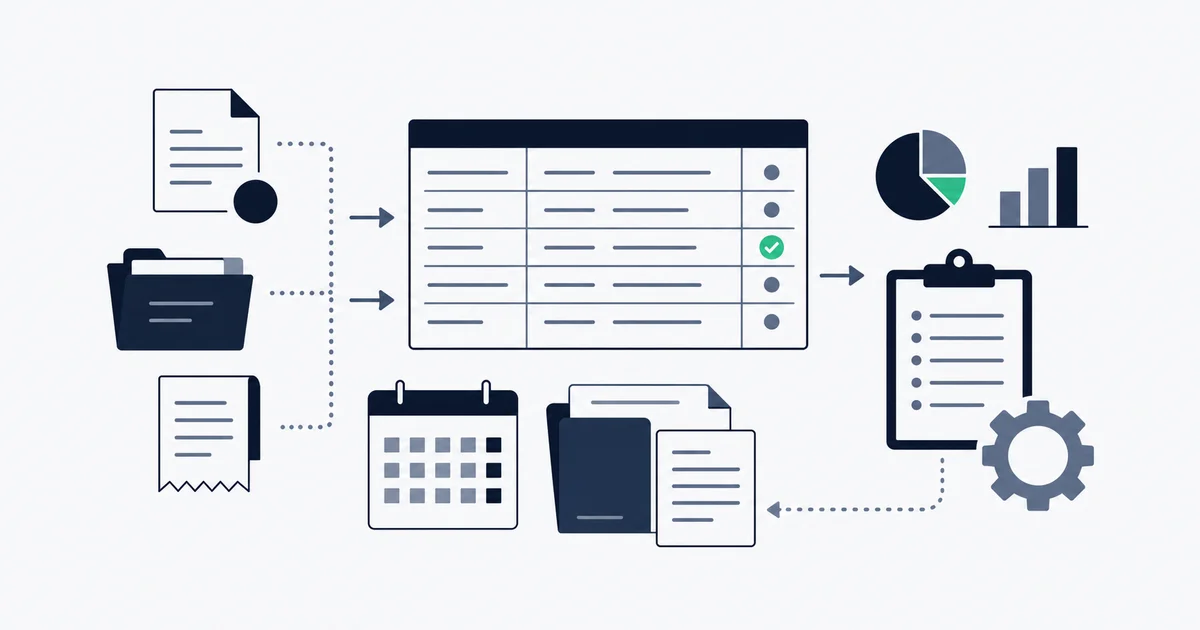
Account reconciliation software automates the work of substantiating a general ledger account balance against its source records at period-end. For a given balance sheet account, it pulls the GL balance, pulls the supporting source (bank statement, subledger, or a supporting schedule), runs match logic to confirm the two agree, surfaces any unexplained difference as a reconciling item, and produces the account reconciliation report that documents the result for sign-off and audit. The category is account-level: it answers "is this account balance correct and supported?" rather than "does this invoice match this payment?"
That distinction matters, because the word reconciliation gets used for three different jobs, and the software for each is built differently. This guide stays on the account level: the close-management category led by BlackLine, FloQast, and Trintech.
Account-level vs invoice-level reconciliation
Three reconciliation jobs travel under the same word. Mixing them up is how teams buy the wrong tool.
Account reconciliation works at the level of a general ledger account. You take the closing balance of an account (say, accounts payable, or a prepaid expense, or a bank GL account) and prove it against an independent source. For a bank GL account, the source is the bank statement. For accounts payable, the source is the AP subledger. For a prepaid or accrual account, the source is a supporting schedule that rolls the balance forward period to period. The deliverable is a signed reconciliation that says "this balance is correct and here is why."
Invoice-level matching works one transaction at a time. It compares a single invoice against the payment that settled it, and depending on the method, against a purchase order and a goods receipt. Two-way, three-way, and four-way matching all live here. This is a control over individual transactions, not a substantiation of an account balance. For the full theory of the matching types with worked examples, see what is invoice reconciliation, which also carries the account-versus-invoice distinction in its FAQ. For an honest comparison of the tools that do invoice-level matching, see the invoice reconciliation software guide.
Bank reconciliation is a specific case that sits between the two. It matches your recorded cash balance, line by line, against the bank statement, accounting for outstanding and uncleared items. It is narrower than account reconciliation (one account, one source) and it is not invoice matching. We cover it separately in what is a bank reconciliation.
The clean mental model: invoice matching is a transaction control that runs continuously or before payment. Account reconciliation is a balance substantiation that runs at the close. Bank reconciliation is the cash-account flavor of account reconciliation. A finance team typically needs all three, but they are not interchangeable, and a platform built for one rarely does the others well.
The account reconciliation process and the report it produces
Account reconciliation is a recurring close task, not a one-off cleanup. The process is the same for every balance sheet account, and the output is always a documented reconciliation report.
The process, step by step
- Capture the GL balance. Take the ending balance of the account from the general ledger for the period being closed.
- Capture the source balance. Pull the independent supporting figure: the bank statement balance, the subledger total, or the balance carried on a supporting schedule.
- Compare and identify differences. Any gap between the GL and the source is a difference that needs explanation.
- Classify each difference as a reconciling item. A legitimate timing difference (a deposit in transit, an outstanding check, an accrual not yet reversed) is a reconciling item with a clear cause. An unexplained difference is an exception that has to be investigated before the account can be signed off.
- Document, then sign off. The preparer writes up the reconciliation with each item and its explanation. A separate reviewer checks it and approves. The two-person split (preparer and reviewer) is a basic segregation-of-duties control.
The same logic underpins a bank reconciliation: opening balance, add and subtract the reconciling items, arrive at the figure that ties to the statement. Account reconciliation generalizes that to every account on the balance sheet, not just cash.
What is in an account reconciliation report
The account reconciliation report is the deliverable. At minimum it records:
- The account being reconciled and the period.
- The GL balance and the source balance.
- Each reconciling item, with an amount and a written explanation.
- The remaining unexplained difference, which should be zero before sign-off.
- The preparer, the reviewer, and the dates each acted.
- Links or references to the supporting evidence (the statement, the schedule, the subledger export).
That report is the audit evidence. When an auditor asks how you know a balance is correct, the reconciliation report is the answer. In standard accounting practice, documented account reconciliation, with a preparer and a separate, independent reviewer, is treated as a core internal control rather than optional paperwork: the preparer-reviewer split is a textbook segregation-of-duties control over financial reporting. Tax record retention rules reinforce the point: IRS Publication 583 requires businesses to keep the records that substantiate the figures on a return for at least three years from the filing date, and the reconciliation trail is part of that substantiation.
The close calendar
In a real close, reconciliations are scheduled, not improvised. Each balance sheet account is assigned a preparer, a reviewer, and a due date inside the close window. High-risk accounts (cash, AP, accrued liabilities) get reconciled every period. Low-risk, low-activity accounts may be reconciled quarterly. The whole point of account reconciliation software is to manage that calendar: who owns what, what is done, what is late, and what is still unexplained, all visible in one place so the close does not stall on a single missing reconciliation.
The software landscape: a close-management view
When people search for account reconciliation software, the names that come up are the financial-close platforms. The right lens for this category is not match type or ERP connector count. It is the close: how the tool manages the reconciliation calendar, substantiates balance sheet accounts, handles roll-forwards, and produces the controls and audit trail an external auditor expects. (For the invoice-to-payment match-type view of these same vendors, that comparison lives in the invoice reconciliation software guide, and this section deliberately does not repeat it.)
BlackLine
BlackLine is the reference point for the account-reconciliation-as-close-management category. Its account reconciliation module assigns each balance sheet account to a preparer and reviewer, enforces the close calendar, and stores the reconciliation report with a timestamped history of every action.
Under the close-management lens, the things that matter are risk-based reconciliation (so low-risk accounts can auto-certify with rules while high-risk accounts get full review), roll-forward support for schedule-backed accounts, and a controls framework aimed at SOX and similar regimes. It is built for public companies and finance teams that have to demonstrate the close was controlled, not just completed. Implementation is a multi-week project and pricing is enterprise-tier, which is why it rarely fits a team under 50 people.
FloQast
FloQast approaches the close from the accounting team's side: a checklist and workflow layer that makes close status visible across the team and ties reconciliations to the close calendar. It pulls account balances from the ERP automatically and is known for fast onboarding relative to BlackLine.
For the account level specifically, its strength is balance sheet reconciliation with roll-forward support and clear close-status visibility. It does not do invoice-level matching; it is a close-management layer, not a transaction-matching engine. That is the correct fit for a mid-market accounting team whose bottleneck is coordinating and documenting the close, not matching individual invoices to payments.
Trintech
Trintech covers both balance sheet account reconciliation and high-volume transaction matching, with a strong controls and audit-documentation framework. On the account level, it handles formal reconciliation with configurable rules, certification workflows, and the documentation an auditor expects, and it scales to very high transaction counts.
The trade-off is configuration depth. Rule authoring and certification workflows usually need specialist setup and professional services, which is why Trintech tends to land at banks, insurers, and large enterprises where the controls requirement justifies the complexity.
How the close-management category compares
| Spreadsheet-per-account close | Close-management platform |
|---|---|
| Track each account's reconciliation status in a shared spreadsheet | Reconciliation calendar shows every account's status, owner, and due date |
| Chase preparers and reviewers over email for sign-off | Preparer-reviewer certification enforced in-workflow |
| Re-key GL and source balances by hand every period | GL and source balances pulled automatically, exceptions surfaced |
| Reconstruct the audit trail from scattered files at audit time | Timestamped audit trail stored on every action |
The honest summary: these platforms automate the workflow, the certification, and the audit trail around the close. They assume you already have an ERP and a formal close with defined controls. They are not built to capture invoices from email or to do invoice-to-payment matching, and buying one to solve an invoice-matching problem is a category error.
Start for free and extract your first 10 invoices without a credit card.
Where Inbox Ledger fits, and where it does not
Inbox Ledger is invoice-to-bank reconciliation, not enterprise GL-close. It is worth being precise about that, because the search term overlaps and the honest answer saves you a wasted evaluation.
What Inbox Ledger actually does: it captures invoices automatically from Gmail, Outlook, IMAP, or a forwarding address, parses bank statements in PDF, CSV, XLSX, OFX, QFX, MT940, and BAI2 formats, and matches the two with AI-powered matching at configurable confidence thresholds, routing low-confidence matches to a human review queue. It exports the results to QuickBooks, Xero, Google Sheets, or Drive. The feature is described on the reconciliation feature page, and the matching engine itself is covered in invoice matching software.
What it does not do: it is not a balance sheet close platform. There is no general ledger inside it, no reconciliation calendar across every balance sheet account, no preparer-reviewer certification workflow, no SOX controls framework, and no roll-forward of prepaid or accrual schedules. It does not produce a signed account reconciliation report for an audit committee.
So which tool you need follows from the problem:
- If invoices are buried in email and never reach your books cleanly, and your real pain is matching them to bank transactions without manual data entry, that is the lighter, invoice-to-bank job. Inbox Ledger does that, and QuickBooks or Xero handles the GL behind it.
- If you run a formal period-end close, have to certify every balance sheet account with a preparer and reviewer, and need an audit-grade trail across the whole balance sheet, you genuinely need a close-management platform like BlackLine, FloQast, or Trintech. A lighter tool will not stand in for that.
- Many teams need both: an invoice-to-bank tool to keep the AP and cash detail clean as it arrives, feeding an accounting system whose accounts then get formally reconciled at the close.
There is no point pretending a sub-$100-a-month tool replaces a six-figure close platform, or that a close platform captures your email invoices. They sit at different levels of the same problem.
Account reconciliation software, at its core, is close-management software: it makes substantiating every balance sheet account a scheduled, documented, reviewed process rather than a month-end scramble through spreadsheets. The category is held by enterprise platforms because the buyers are enterprises with formal controls obligations. If that is your situation, evaluate BlackLine, FloQast, or Trintech against your close calendar and audit requirements, not against a feature checklist. If your real problem is one level down, getting invoices and bank transactions matched cleanly so the accounts are correct in the first place, solve that with a lighter tool and let your accounting system carry the GL. Buy for the level your problem actually lives on.