Invoice Reconciliation Software Guide
How invoice reconciliation actually works, the errors auditors catch most often, and an honest comparison of seven tools from BlackLine to QuickBooks.

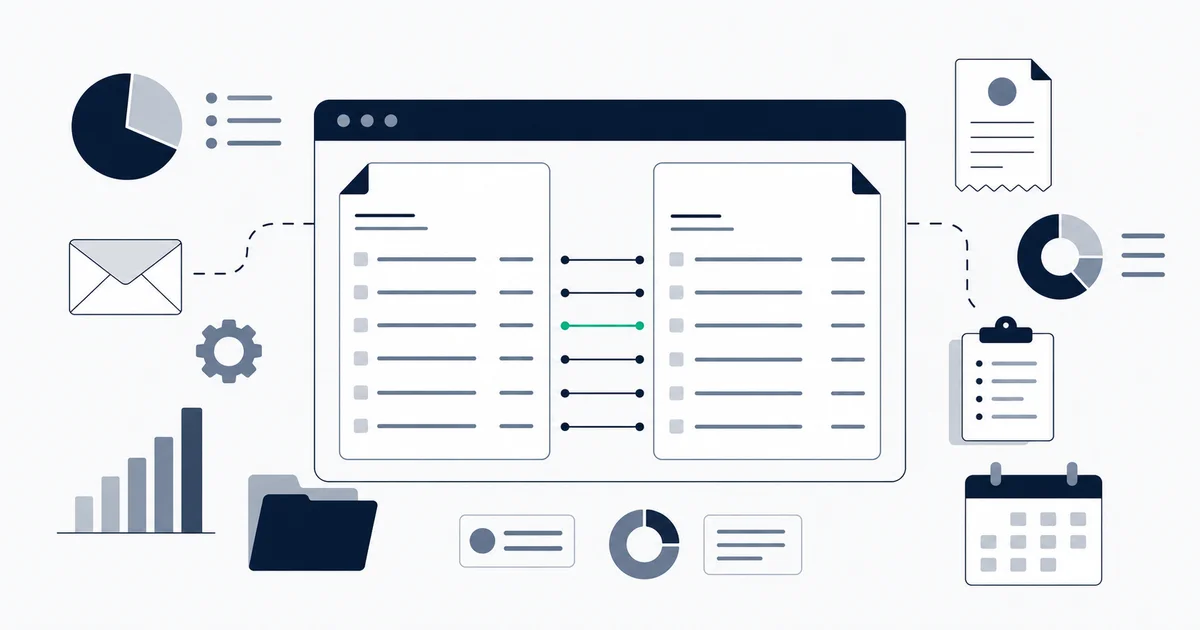
Most invoice reconciliation problems are not math problems. The math is trivial. The problem is always the same: someone has an invoice in one system, a payment record in another, and no reliable way to confirm they belong together without opening both, reading both, and deciding by hand.
At low volume, that is a tedious but manageable chore. At 500 invoices a month it becomes a two-person job. At 2,000 it becomes a close cycle that regularly slips past the deadline.
This guide covers what reconciliation actually involves, the errors that turn up most often when an auditor looks, the manual process and when it still works, an honest look at seven tools from different tiers of the market, and the questions worth settling before you pilot anything.
Invoice reconciliation software automatically matches invoices against purchase orders, payments, and bank transactions, flags exceptions for human review, and keeps an audit trail. Options range from enterprise close platforms like BlackLine and Trintech to native ERP modules in QuickBooks and Xero and email-first matching tools that capture invoices before they are matched.
What invoice reconciliation actually means
Reconciliation in the accounts payable context means confirming that money that left your bank account corresponds to a real, approved, correctly-coded invoice, and that every approved invoice has a corresponding payment. Two variations show up in practice: two-way matching (invoice against purchase order) and three-way matching, which adds a goods receipt or delivery confirmation so an invoice only clears when it matches both the PO and proof of arrival. Three-way is the standard for physical goods; services and software businesses mostly run two-way. For the full conceptual treatment of these methods and worked examples, see what invoice reconciliation is; the tools that automate the pre-payment match are covered in our invoice matching software guide.
After payment runs, reconciliation has a second phase: confirming that the payment that hit your bank account corresponds to the invoice you intended to pay. This is where bank statement reconciliation comes in, the period-end cash check that confirms the payment cleared as recorded, and it is the phase that surfaces an invoice paid to the wrong account or paid twice due to a resubmission.
The IRS Publication 583 recommends that businesses keep all records used to substantiate income and deductions, including invoices and payment records, for at least three years from the filing date. That retention requirement is one reason a reconciliation trail matters beyond just catching errors: the documentation of what matched when and how is the audit evidence.
Reconciliation errors auditors find most often
Four categories of error appear consistently in AP audit findings, across organizations of every size.
Duplicate payments. The same invoice paid twice, usually because a vendor resubmitted a PDF with a slightly different filename or a new email thread, and no one recognized it as the same document. Duplicate payment detection requires matching on invoice number and vendor, not just on file name. Tools that rely on document metadata without reading the invoice fields miss this entirely.
Invoices without a PO or approval record. An invoice was paid, but the corresponding purchase order does not exist, was never created, or was created after the fact. In a 3-way match workflow, this is supposed to be impossible by design. In practice, it happens when someone emails a vendor, the vendor sends an invoice, and finance pays it without anyone formally creating a PO first. Auditors look for this because it indicates a control gap, not just a process shortcut.
Period-end cutoff mismatches. An invoice dated in one period gets recorded in another because it arrived late or sat in an approval queue past the close date. Accrual accounting requires matching the expense to the period it belongs to. When reconciliation does not catch period mismatches, the income statement for both affected periods is wrong. Auditors commonly cite period-end cutoff as a frequent source of financial statement misstatement.
Currency conversion variances. An invoice in euros, pounds, or any non-base currency was recorded at one exchange rate and paid at another, with no reconciling item capturing the FX difference. The variance ends up sitting as an unexplained gap until someone traces it. Multi-currency businesses need a reconciliation workflow that records both rates and flags the variance as an explicit line item, not as noise.
Manual reconciliation: when it is still viable
Manual reconciliation with spreadsheets and a set of eyes is not obsolete. If your business processes fewer than 100 invoices per month and runs a monthly close, it is defensible: the main risks are missed duplicate payments and inconsistent period-end cutoff discipline. It breaks down once you have multiple invoices of similar amounts from the same vendor (amount-only matching becomes guesswork) or FX transactions that cannot be matched by amount without converting to base currency first. For the full manual-versus-automated walkthrough as a concept, see what invoice reconciliation is.
Invoice reconciliation software: seven tools compared
BlackLine
BlackLine is an enterprise financial close platform built for mid-market to large companies. Reconciliation is one module within a broader suite that includes journal entry management, task management, and variance analysis.
Strengths. Deep ERP integrations (SAP, Oracle, Microsoft Dynamics). Account reconciliation templates with configurable match rules and tolerance bands. Strong audit trail with timestamp-level history on every action. Regulatory compliance features for SOX and IFRS environments.
Weaknesses. Implementation is a project, not a setup. Deployments commonly take on the order of six to twelve weeks and require either an internal project team or an implementation partner. Pricing is not public and scales with user count and modules; as a rough guide, mid-market quotes are often reported well into five figures per year. Not suitable for teams under 50 employees or without dedicated finance operations staff.
Best fit. Public companies and growth-stage companies preparing for SOX compliance. Finance teams that have already standardized on SAP or Oracle and need a close management layer on top.
FloQast
FloQast is a close management platform designed specifically for mid-market accounting teams. The pitch is simplifying the month-end close rather than replacing the ERP.
Strengths. Fast onboarding compared to BlackLine. Integrates directly with NetSuite, QuickBooks, Sage Intacct, and others to pull account balances automatically. Built-in checklist and workflow management makes close status visible across the team. Strong reconciliation roll-forward for balance sheet accounts.
Weaknesses. Not an AP-level invoice matching tool. FloQast handles account-level reconciliation (does the GL balance match the subledger?) rather than invoice-level matching (does this payment correspond to this specific invoice?). Teams that need line-level invoice matching need a complementary AP tool. For the account-level category in its own right, see our guide to account reconciliation software.
Best fit. Accounting teams of 5 to 30 people using a mid-market ERP who need close visibility and balance sheet reconciliation. Not the right choice if invoice-to-payment matching is the primary problem.
Trintech
Trintech (formerly Cadency, formerly ReconNET) covers both balance sheet reconciliation and transaction matching. The transaction matching module does line-level matching against bank feeds and subledger data.
Strengths. Genuine transaction-level matching with configurable match rules. Handles high-volume matching well (tens of thousands of transactions per period). Strong controls and audit documentation. Recognized in analyst reports on financial close software.
Weaknesses. Complex to configure. Rule authoring requires specialist knowledge and most initial deployments need professional services involvement. Pricing similar to BlackLine: enterprise-tier, per-module, not published.
Best fit. Banks, insurance companies, and large enterprises that need high-volume automated transaction matching with a formal controls framework. Overkill for most teams under 200 employees.
SolveXia
SolveXia is an Australian-origin financial automation platform that positions itself specifically around reconciliation and reporting workflows. More accessible pricing than BlackLine or Trintech.
Strengths. Low-code automation builder for reconciliation workflows. Handles matching across CSV exports, Excel files, and database connections without requiring an API integration. FX variance tracking built in. Audit trail and version control on all reconciliation runs.
Weaknesses. Less deep ERP integration than the enterprise platforms. Not designed for real-time or daily reconciliation at high volume; better suited for periodic close runs. Support and implementation are timezone-dependent for North American teams.
Best fit. Mid-market finance teams that want to automate reconciliation without a major implementation project and are comfortable working with file-based data rather than direct API feeds. Particularly common in APAC and EMEA markets.
Sage Intacct (Reconciliation Module)
Sage Intacct is a cloud ERP with a built-in accounts payable reconciliation module. If you are already on Intacct, the reconciliation functionality is part of the platform.
Strengths. Native AP-to-GL reconciliation without a third-party integration. Handles multi-entity and multi-currency setups natively. Dimensional GL makes it easy to reconcile by department, location, or project. Bank reconciliation pulls from a direct bank feed.
Weaknesses. The reconciliation tools are solid but not specialized. For complex matching rules or high-volume exception management, dedicated tools like BlackLine or Trintech go deeper. Also, if you are not already on Sage Intacct, switching ERPs to access reconciliation tooling is not a reasonable trade-off.
Best fit. Finance teams already running Sage Intacct who want native reconciliation without adding a third-party tool. Not a reason to switch ERPs if you are on NetSuite, QuickBooks, or another platform. Its strength is GL-account-level reconciliation; for that category compared in its own right, see our guide to account reconciliation software.
QuickBooks Online (Reconciliation Module)
QuickBooks Online includes a bank reconciliation module as a core feature. Every QuickBooks Online plan includes it. It is not an invoice-level matching tool; it is an account-level bank reconciliation.
Strengths. Zero additional cost on any QuickBooks Online subscription. Imports bank feeds automatically from connected accounts. Marks each transaction matched or unmatched. Simple to use with no training required. Works for most small businesses processing under 200 transactions per month.
Weaknesses. No invoice-level matching. QuickBooks Online bank reconciliation matches bank transactions against recorded payments, but it does not verify that the recorded payment was linked to the right invoice with the right PO. Duplicate payment detection depends on whether you use QuickBooks Online's native bill-pay workflow. At any meaningful complexity, QuickBooks Online reconciliation is a starting point, not a complete solution.
Best fit. Small businesses that have standardized on QuickBooks Online and want a no-cost reconciliation step as part of their monthly bookkeeping. Teams that outgrow QuickBooks Online reconciliation typically move to a dedicated tool rather than a more expensive QuickBooks Online tier. Because QuickBooks Online operates at the bank-account level, teams that need true GL-account reconciliation should compare the dedicated account reconciliation software category.
Xero (Reconciliation Feature)
Xero's bank reconciliation works similarly to QuickBooks Online. Bank transactions are imported daily via a feed, and you match them against existing invoices, bills, or account entries. Xero's interface is generally considered cleaner than QuickBooks Online's for multi-currency work.
Strengths. Real-time bank feed imports from most major banks. Solid multi-currency reconciliation with exchange rate tracking. Bulk transaction matching reduces manual work for high-volume periods. Strong ecosystem of add-on apps for businesses that outgrow the native feature.
Weaknesses. Like QuickBooks Online, this is bank-to-payment reconciliation, not invoice-to-PO matching. Xero does not do 3-way matching natively. For AP-level control, you need a Xero-compatible AP automation add-on.
Best fit. Small to mid-sized businesses already on Xero who want straightforward bank reconciliation without additional tools. Also works well for bookkeepers managing multiple client entities, where Xero's multi-entity structure reduces the overhead. As with QuickBooks Online, this is bank-level reconciliation; for GL-account-level needs, compare the dedicated account reconciliation software category.
Inbox Ledger (Invoice-to-Bank Reconciliation)
Inbox Ledger occupies a specific niche: matching invoices captured automatically from email against bank statement transactions. The workflow starts upstream from the reconciliation step itself.
Strengths. Invoices are extracted from Gmail, Outlook, IMAP, or forwarding addresses without manual data entry. Bank statements in PDF, CSV, XLSX, OFX, QFX, MT940, and BAI2 formats are parsed and matched against extracted invoices automatically. AI-powered matching with configurable confidence thresholds and human review for low-confidence matches. No ERP required. The feature is described in detail on the reconciliation feature page.
Weaknesses. Not a full AP platform. There is no PO management, approval workflow, or multi-entity GL. If your reconciliation problem requires 3-way matching against purchase orders, Inbox Ledger does not cover that use case. Also not designed for very high transaction volumes (thousands of transactions per day) where enterprise platforms have a significant throughput advantage.
Best fit. Small to mid-sized businesses and bookkeepers who want invoice capture and reconciliation to happen automatically as invoices arrive, without a separate data entry step. Teams already connecting Gmail or Outlook to Inbox Ledger for invoice extraction get reconciliation as a natural extension of the same workflow. For teams working with specific bank integrations, see our portal pages for Chase Business and Stripe to understand what data comes through each feed.
Start for free and extract your first 10 invoices without a credit card.
Comparison table
| Tool | Match type | ERP integration | Implementation time | Best for |
|---|---|---|---|---|
| BlackLine | Account + transaction | SAP, Oracle, Dynamics | 6-12 weeks | Enterprise SOX environments |
| FloQast | Account level | NetSuite, QuickBooks Online, Intacct | 2-4 weeks | Mid-market close management |
| Trintech | Transaction level | SAP, Oracle | 8-16 weeks | High-volume financial services |
| SolveXia | Transaction level | File-based | 2-6 weeks | Mid-market, APAC/EMEA |
| Sage Intacct | AP + bank | Native | Days (if already on Intacct) | Existing Intacct customers |
| QuickBooks Online | Bank level | Native | Minutes | Small business, QuickBooks Online users |
| Xero | Bank level | Native | Minutes | Small business, Xero users |
| Inbox Ledger | Invoice-to-bank | Email sources | Minutes | Email-first invoice workflows |
How to scope a reconciliation pilot
A pilot that runs for three months and produces no decision is the most common outcome when the success criteria were not defined at the start. Set these four things before you begin.
Define your exception rate today. Count how many transactions per close cycle require manual investigation. This is your baseline. If you cannot count it, your process is not measurable enough to improve systematically. A week of manual tracking before the pilot starts is worth the effort.
Pick one integration path and confirm it works. Every tool claims broad integration support. Before committing to a pilot, test the specific connection you need: your bank, your ERP, your chart of accounts structure. A tool that integrates with QuickBooks Online generally is not the same as a tool that imports your specific bank's transaction format without mapping errors.
Set a time-box. Sixty to ninety days is enough to complete two close cycles with the new tool and produce a real comparison. Anything shorter does not capture a full period. Anything longer turns into organizational inertia.
Agree on the exit criteria. What number makes you keep it? What makes you stop? Common targets: exception rate below 5%, close cycle time reduced by 25%, manual matching hours reduced by 50%. Without a target, evaluators default to "it feels better" which is not a decision basis.
See our alternatives comparison hub for head-to-head breakdowns if you are evaluating Inbox Ledger against any specific tool in this list.
Continuous reconciliation versus period-end: when the difference matters
Most finance teams reconcile at period end because that is when the close deadline forces it. Continuous reconciliation means running the match logic as transactions come in rather than waiting for month-end. We treat the underlying philosophy in what invoice reconciliation is; here the question is narrower, which tool tier you need given your close cadence.
The tradeoff is real on both sides.
Continuous makes sense when your exception investigation time is longer than two days per close. If a payment that happened on the 15th is not flagged until the 31st, the transaction is two weeks old, the person who authorized it may not remember the context, and the vendor may have already followed up about the delay. Catching exceptions within 24 hours keeps the context fresh and eliminates the "what was this for" investigation step.
Continuous also makes sense for high-volume businesses where a month of unreconciled transactions is simply too much to review in the few days before close. A 200-transaction close is manageable. A 5,000-transaction close in three days is not.
Period-end remains fine when transaction volume is low enough that the backlog is never overwhelming, and when your team does not have bandwidth to monitor a daily exception queue. Continuous reconciliation creates a daily workflow obligation. If no one is checking the queue on Tuesdays, exceptions pile up anyway, and you have added system complexity without adding actual coverage.
The practical test: if your monthly close reconciliation consistently takes more than one working day, continuous reconciliation probably pays off. If it takes three hours, period-end is fine and adding daily monitoring overhead would be a net negative.
A direct bank feed is the technical prerequisite for continuous reconciliation. If your bank supports automated feed delivery (most major US and UK banks do via their accounting integrations), the feed is the right starting point. For a broader look at how invoice data flows from capture to matched payment, see the guide on invoice processing automation.
Closing
Invoice reconciliation is not a technology problem at its core. It is a data consistency problem: the same transaction needs to be recorded the same way in at least two places, and any discrepancy needs a human explanation. Software handles the mechanical matching and exception routing. The judgment calls at the end of the exception queue still need a person.
The right tool depends almost entirely on where your current process breaks. If your invoices are buried in email and never get into your accounting system cleanly in the first place, solving that upstream problem (the extraction and capture step) has more impact than any reconciliation UI. If your invoices are captured correctly but matching them to bank transactions takes two days every close, a dedicated reconciliation tool pays for itself quickly.
Most teams do not need enterprise-tier complexity. A small business on QuickBooks or Xero gets functional bank reconciliation at no additional cost. A growth-stage company on NetSuite or Sage Intacct adds a close management layer like FloQast when manual coordination across the team becomes the bottleneck. Enterprise-scale matching volume and SOX requirements push toward BlackLine or Trintech. And for teams where email is the primary invoice channel, building reconciliation on top of automatic invoice extraction removes the manual data entry step that slows everything else down.
Pick the tier that matches your current problem, not the one that matches your aspirational future state. Tools that are too complex for your current volume create maintenance overhead without corresponding value. Upgrade when the current tool's ceiling is actually visible, not in anticipation of reaching it.