Restaurant Invoice Management: Supplier Invoices, Credit Memos, and Food Cost Without the Shoebox
How restaurants should handle supplier invoices from delivery check-in to food cost: the weekly routine, credit memo tracking, price-creep detection, and what to automate.

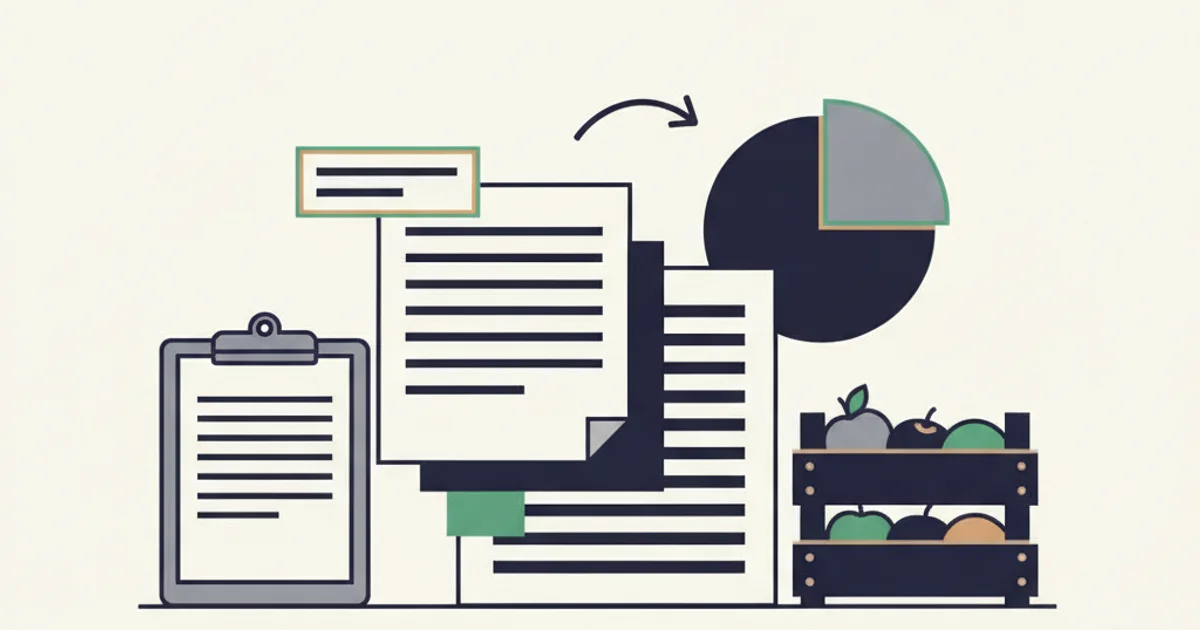
Restaurant invoice management is the routine that takes a supplier invoice from the delivery door to your books: check the delivery against the invoice, capture it the same day, request credits for shortages, match each invoice to its payment, and reconcile each supplier's statement monthly. Done consistently, it keeps food cost accurate and stops the two quiet losses in restaurant AP: credits never applied and invoices paid twice.
Why are restaurant invoices harder than other small-business AP?
A cafe or a 60-seat restaurant can receive more supplier invoices in a month than a professional services firm receives in a year. Three or four food deliveries a week from a broadline distributor, a produce vendor, a dairy or bakery supplier, a beverage distributor, plus linen, chemicals, paper goods, and a dozen monthly bills for software, utilities, and rent. Most of the food invoices arrive on paper with the truck, often with handwritten adjustments, and the electronic copy, if there is one, lands in an owner's inbox or a distributor portal.
The cost of getting it wrong shows up in three places. Food cost percentage drifts because purchases are mis-stated. Credits for short or damaged deliveries are requested and then never applied, so the restaurant pays for product it did not receive. And the same invoice gets paid twice when the paper copy is entered and the emailed copy is entered again a week later. None of these appear as a line on the P&L. They appear as a margin that is two or three points worse than the menu math says it should be.
The weekly system
Daily: check in the delivery and capture the invoice
The check-in is the only moment you can verify what you received. Count cases against the invoice, spot-check weights on priced-by-weight items, check temperatures on refrigerated and frozen goods, and refuse or note anything damaged or out of spec. Write the discrepancy on the invoice, have the driver initial it where the supplier allows, and keep the annotated copy.
Capture the invoice the same day. For a paper invoice, that means a photo. For an emailed PDF or a portal invoice, it means getting it into the same place as the paper ones. The point is a single stream of invoices in date order, not three piles.
This is where the manual version breaks down and where automation is the honest shortcut. Inbox Ledger connects to Gmail, Outlook, or IMAP with read-only access, finds invoices and receipts, extracts the data with AI, matches them to bank statement transactions, and pushes bills to QuickBooks Online or Xero. For a restaurant, the emailed distributor invoices are collected without anyone downloading them (portal-only invoices still need a monthly download, forwarded into the same inbox), the vendor, date, line items, and totals are extracted, and a paper invoice photographed on a phone and sent to the Telegram or WhatsApp bot goes through the same extraction. The same invoice arriving twice, once on paper and once by email, is flagged as a duplicate instead of counted twice. Line-item extraction matters specifically for restaurants, because food cost by category (produce, protein, dairy, dry goods) depends on seeing the lines, not just the total.
Weekly: the 30-minute review
Once a week, sit down with the week's invoices and answer four questions.
- Does every delivery have an invoice, and every invoice a delivery? A delivery with no invoice means one is coming and should not surprise you. An invoice with no delivery is a billing error or a duplicate.
- Does every noted shortage have a credit request? Check the annotated invoices against credit requests submitted. Most suppliers have a window for credit claims; US Foods, for example, lets customers submit a credit request against a recent order in MOXē with photos of the product issue and the pick label (US Foods MOXē help center, as of October 2026). Our portal guides for US Foods, WebstaurantStore, and Uline cover where invoices and credits live for each.
- Did any unit price on a staple move? Pull the top 20 items by spend and compare this week's unit price to last week's. Suppliers reprice frequently; a case of chicken thighs that moved from $62 to $71 is a 14 percent increase that the monthly P&L will blur into "food cost was up."
- Are purchases tracking against sales? Weekly purchases divided by weekly food sales is a rough food cost that will be noisy, but a sudden move is worth asking about before the month closes.
Monthly: reconcile every supplier's statement
At month end, each major supplier sends a statement listing invoices, credits, and payments. Compare it to your ledger for that supplier and explain every difference. This is the step that finds the credit memo issued but never applied, the invoice the supplier sent that never reached your books, and the invoice paid twice. The full procedure with a worked example is in our vendor statement reconciliation guide; the short version is that a supplier statement showing a credit balance means you have overpaid.
Credit memos: the money most restaurants leave on the table
A credit memo is a document from the supplier reducing what you owe, issued for a short delivery, damaged or out-of-temperature product, a pricing error, or a return. Two facts about credits that are not obvious until you have lost one:
- A credit does not reduce your bill automatically. It sits on the supplier's statement as a credit until it is applied against a payment. If you pay invoices in full and never short-pay by the credit, the supplier holds your money. Some will eventually refund it; many will carry it indefinitely.
- A credit you did not request does not exist. The driver initialing a shortage on the invoice is not a credit. The credit exists when the supplier issues the memo.
Track credits as a short table in the same place as the invoices:
| Date noted | Supplier | Original invoice | Issue | Amount expected | Credit memo # | Applied to payment on |
|---|---|---|---|---|---|---|
| Sep 10 | Produce vendor | 55188 | 2 cases romaine short | $48.00 | CR 9012 ($180.00, included a wrong-price correction) | Sep 26 |
| Sep 17 | Broadline distributor | 7741020 | 1 case dairy out of temp | $71.00 | Not yet issued | Follow up |
The figures are illustrative. The discipline is that every row gets closed: either the memo is issued and applied, or the request is escalated. A credit memo without a "applied to payment" date is a loss in progress.
Food cost from invoices: why capture accuracy is the whole game
Food cost percentage is the number restaurants manage to, and its inputs come almost entirely from invoices. For a period:
Cost of goods sold = beginning inventory + purchases (net of credits) - ending inventory
Divide by food sales for the same period to get the food cost percentage. The structure is the same one the IRS uses on Schedule C, where cost of goods sold is inventory at the beginning of the year plus purchases and other costs minus inventory at the end of the year (IRS Form 1040 Schedule C, Part III).
Every error in the invoice stream becomes an error in food cost, and the errors point in a direction that hides problems:
| Invoice-stream error | Effect on purchases | Effect on food cost % |
|---|---|---|
| Invoice missing (never captured) | Understated | Looks better than reality |
| Same invoice counted twice | Overstated | Looks worse than reality; may trigger a false alarm on waste |
| Credit memo not applied | Overstated by the credit | Looks worse than reality |
| Price increase unnoticed | Correct, but unexplained | Rises with no visible cause |
A worked example, illustrative only. A restaurant does $84,000 in food sales for September. Beginning food inventory $11,200, ending $10,800. Captured purchases $27,900, but two produce invoices totaling $2,530 are in the owner's personal inbox and never entered, and a $180 credit was issued but not applied.
- As booked: ($11,200 + $27,900 - $10,800) / $84,000 = 33.7 percent.
- Corrected: ($11,200 + $27,900 + $2,530 - $180 - $10,800) / $84,000 = 36.5 percent.
Nearly three points of food cost hidden by two missing invoices. The menu pricing decision made on 33.7 percent is wrong. This is the reason to care about invoice capture as a food cost tool rather than an accounting chore.
Price creep: the leak the P&L cannot see
Food suppliers reprice often, sometimes weekly on volatile categories. A single increase is usually small and reasonable. The pattern that costs money is a series of small increases on a staple that nobody compares to the price three months ago, because each invoice is only ever compared to itself.
The weekly top-20 check above is the manual control. The automated version is worth knowing about: Inbox Ledger's Money Found alerts compare each recurring vendor's latest invoice to the previous one and raise an alert when the total is at least 10 percent and at least $5 higher, with both invoices attached so you can see what moved. That catches a vendor-level jump; for item-level creep inside a distributor invoice with 40 lines, the extracted line items exported to a sheet and sorted by item are the practical tool. Either way, the decision (renegotiate, substitute, reprice the menu item) is yours; the point is to see the increase in the week it happens rather than in the quarter's food cost.
Duplicates: paper plus email equals twice
Restaurants are the textbook case for duplicate payments because the same invoice legitimately exists in two forms: the paper copy with the truck and the electronic copy by email or portal. If the manager enters the paper copy and the bookkeeper later enters the emailed PDF, the distributor gets paid twice, and the distributor's statement will quietly show a credit balance.
The controls are the same as for any business, with one restaurant-specific emphasis: deduplicate at capture, so the emailed copy is recognized as the same document as the photographed paper copy by invoice number and vendor (or by a fingerprint of total, date, vendor, and currency when the number did not extract cleanly). Then match every payment to its invoice, so an invoice with two confirmed bank transactions is flagged. Our guide on how to prevent duplicate invoice payments lists all seven controls and what QuickBooks Online and Xero catch natively.
Start for free and extract your first 10 invoices without a credit card.
Getting the data into your books
For a restaurant on QuickBooks Online or Xero, the useful end state is each supplier invoice posted as a bill with its line items coded to the right COGS sub-account (produce, protein, dairy, dry goods, beverage, paper and chemicals), with the payment matched to the bank feed. Doing that by hand for 60 to 100 food invoices a month is where the bookkeeping hours go.
Inbox Ledger pushes each processed invoice to QuickBooks Online or Xero as a bill, line items included, posted to the default expense account you choose when you connect; splitting lines across COGS sub-accounts is still done in the accounting file. The push is one-way: the bill is created in your accounting file, and you still approve and pay there. Rules let you set a vendor name or tags automatically for a given sender or subject, so the produce vendor's invoices arrive tagged "Produce" every time. Bank statements uploaded for reconciliation (PDF, CSV, Excel, OFX, QFX, MT940, or BAI2) are matched to invoices with a confidence score, and the matched payment status follows the invoice; our bank reconciliation guide covers the monthly procedure around it. Our guide to AP automation for QuickBooks and Xero explains where this capture layer sits relative to the accounting file; the reconciliation feature page covers the matching.
If you want to see what the capture would find before changing anything, the free Inbox Audit connects an inbox read-only and shows the supplier invoices, vendors, and duplicates in the last 12 months.
A one-page routine
| When | Do | Output |
|---|---|---|
| Every delivery | Count, weigh, temp-check against the invoice; annotate shortages; photograph or capture the invoice | One invoice per delivery, in the system today |
| Weekly (30 min) | Match deliveries to invoices; check every shortage has a credit request; compare top-20 unit prices to last week; rough food cost | Credit requests sent; price moves noted |
| Monthly | Reconcile each supplier statement; apply credits; confirm no duplicate payments; count inventory; compute food cost | Closed month with accurate COGS |
| Quarterly | Review supplier list for name variants and merge; review which items crept in price over the quarter | Clean vendor list; renegotiation list |
Restaurant invoice management is not a filing exercise. It is the control that decides whether your food cost number is true, whether the credits you earned at the door ever reached your bank, and whether you paid your distributor once. Capture daily, review weekly, reconcile monthly, and automate everything that is comparison rather than judgment.